
Click New in the top bar and choose New Customer. If the customer came with their pet, Quick Registration adds the customer and the pet in one form.
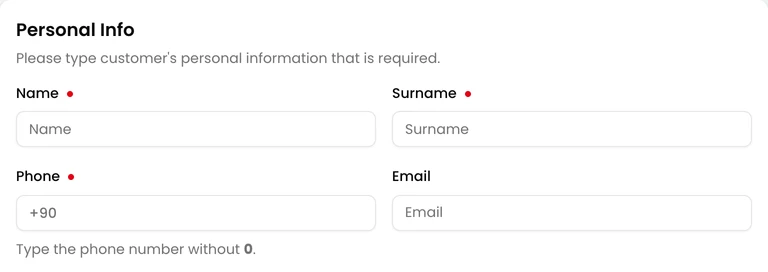
- Enter Name, Surname and Phone.
- Fill in anything else you need.
- Click Save. The customer’s page opens.
If the phone number belongs to an existing customer, Customer already exists appears above the form. You can open that customer or save the new one anyway.
Notifications
Section titled “Notifications”
A new customer gets notifications by email, SMS, mobile app and WhatsApp. Turn off the ones they don’t want under Notifications.

Automatically send mobile app registration link to customer. is ticked at the bottom of the form. When you save, the customer gets a link to sign up for the Veterian mobile app by SMS, and by email if you entered their email address. Untick it if they don’t want the app.