
The Dashboard is the screen you land on after logging in, and Dashboard at the top of the left menu brings you back to it. What you see depends on your role.
Top Summary Cards
Section titled “Top Summary Cards”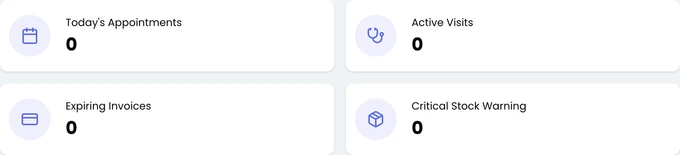
Click a card to open the list behind it. Today's Appointments opens today’s appointment list, with a small arrow comparing the count to yesterday. Active Visits counts the visits in progress and takes you to the Flowboard.
Expiring Invoices counts invoices past their due date and opens the invoice list. Critical Stock Warning counts products at or below their critical stock level and opens the stock status report.
Today’s Appointments
Section titled “Today’s Appointments”Below the cards, today’s appointments are listed with the customer, pet, staff member, duration and status. Click one to open it. This section stays hidden until your clinic configures at least one visit/appointment type.
Vaccine Status
Section titled “Vaccine Status”
This card shows the week’s vaccination counts, such as Total and To Do. Click the card title to see next week. The tabs under the counts list the vaccinations due today, overdue or still to do.
Getting Started Steps
Section titled “Getting Started Steps”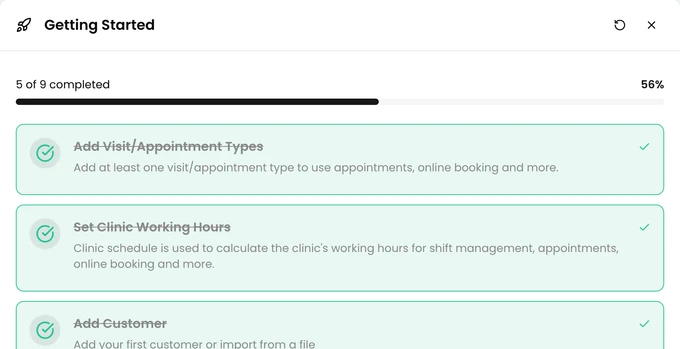
New clinics see a nine-step setup list for administrators. Each step has a button to its settings screen. If a step you finished isn’t ticked, click Refresh progress.
The list goes away when all nine steps are done. You can also close it earlier with the X. Once closed, it doesn’t come back.
Active Visits, Recent Records and Stock
Section titled “Active Visits, Recent Records and Stock”If some notifications to customers couldn’t be delivered today, a warning shows how many. Details opens the notification history report.
Below it are the visits in progress, the newest customers and pets, and a stock summary. Click View All on the customer, pet or stock card to see the full list.
The Right Column
Section titled “The Right Column”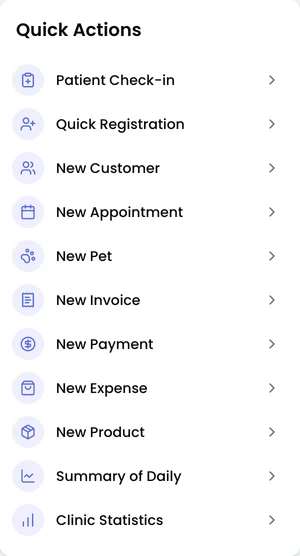
At the top of the right column, Today's Birthdays counts today’s birthdays and opens the birthday list.
Quick Actions has shortcuts to common forms, such as Patient Check-in and New Product. Its last two entries open the Summary of Daily and Clinic Statistics reports. Below it, Announcements shows news from the Veterian team.