
Flowboard in the left menu shows today’s patients on one board. Each column is a stage of the visit: Today's Appointments, Checked In, In Progress, In Review, Hospitalized and Completed Today.
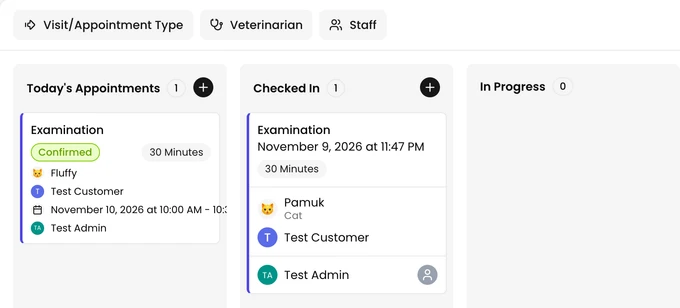
To move a patient on, drag the card to the next column. The visit’s status changes, and your team sees it on their screens at the same time.