
Create your own calendar link in Veterian and add it to Google Calendar, Apple Calendar or Outlook.
A calendar link works with Google Calendar, Apple Calendar and Outlook. Your own link shows only the appointments assigned to you. Your clinic must have turned on that calendar first. See Turn On a Calendar for the Clinic.
Create Your Link
Section titled “Create Your Link”- Open Appointments and click My calendar.
- Under Add with a link, click Create link in the row for your calendar app.
- Click Copy link.
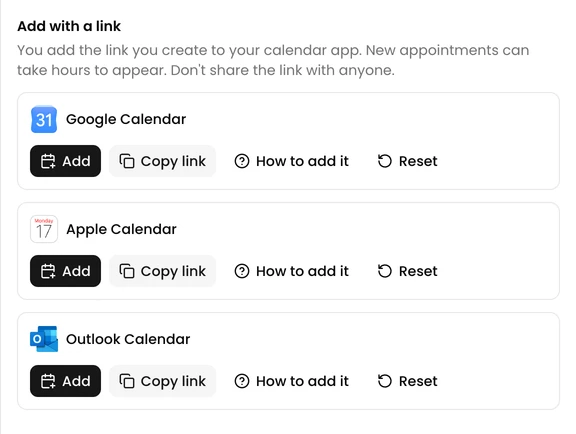
How to add it in the same row shows the steps below with pictures.
Add It to Your Calendar App
Section titled “Add It to Your Calendar App”Google Calendar. This works only in a browser on a computer.
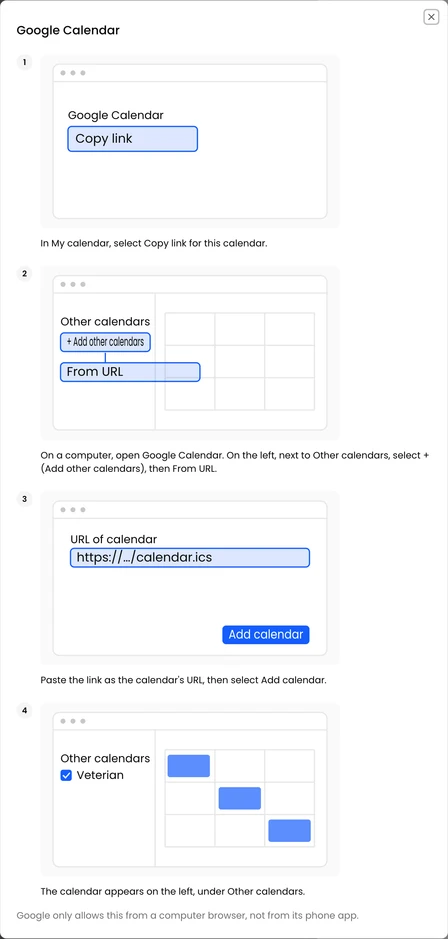
- On the left, next to Other calendars, select +, then From URL.
- Paste the link and select Add calendar.
Apple Calendar on a Mac
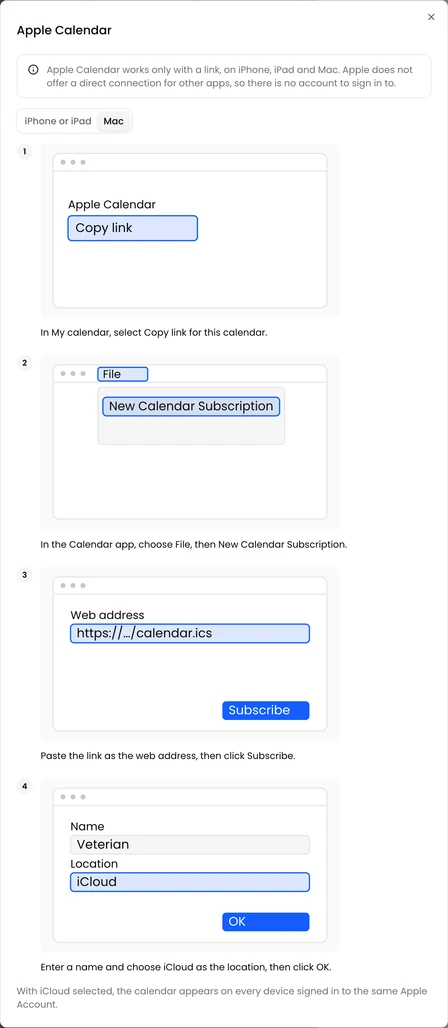
- Choose File, then New Calendar Subscription.
- Paste the link and click Subscribe.
- Enter a name, choose iCloud as the location and click OK.
Apple Calendar on an iPhone or iPad
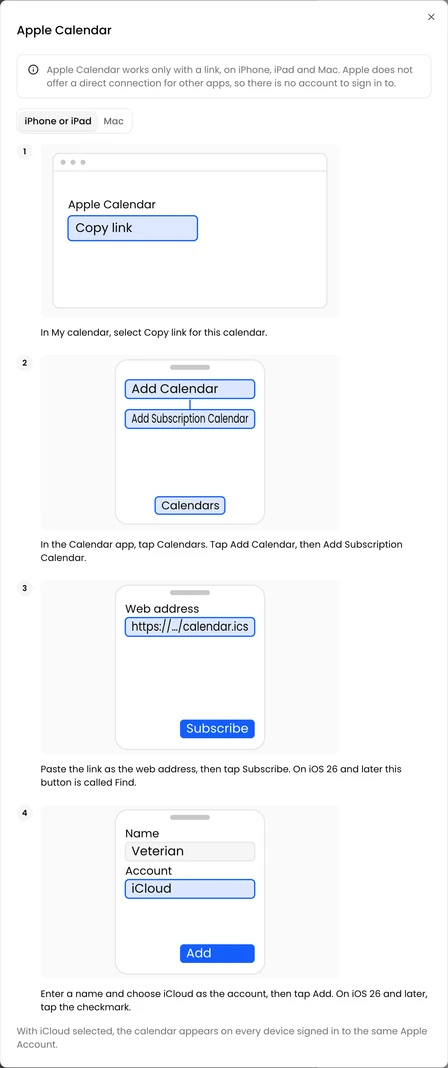
- Tap Calendars, then Add Calendar, then Add Subscription Calendar.
- Paste the link and tap Subscribe. On iOS 26 and later, this button is called Find.
- Enter a name, choose iCloud as the account and tap Add. On iOS 26 and later, tap the checkmark.
Outlook on the web or the new Outlook
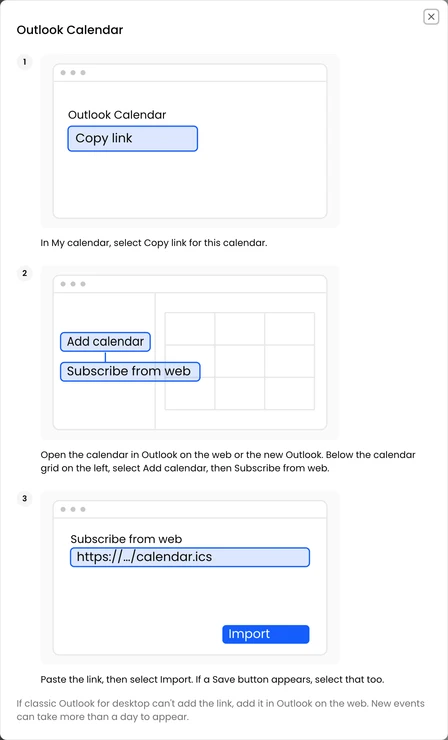
- Below the calendar grid on the left, select Add calendar, then Subscribe from web.
- Paste the link and select Import. If a Save button appears, select that too.
If classic Outlook for desktop can’t add the link, add it in Outlook on the web.
The calendar app decides when to refresh. New appointments can take hours to appear, and up to a day in Google Calendar.
Keep the Link Private
Section titled “Keep the Link Private”Anyone who has your link can see your appointments. If it is shared by mistake, click Reset in its row. The old link stops working at once. A calendar app can keep showing its last events until you remove the subscription there, so add the new link and remove the old one.